TeraBox APK
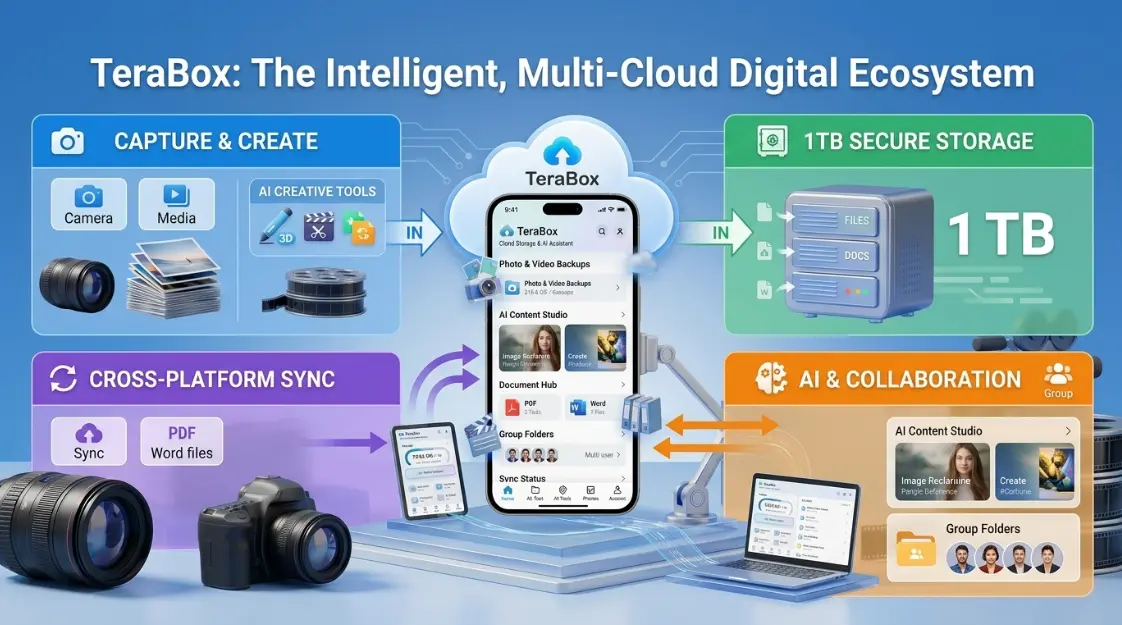
TeraBox is a smart cloud storage app that gives users massive free space, up to 1 TB, to store photos, videos, PDFs, and other files without worrying about running out of device storage.
TeraBox APK
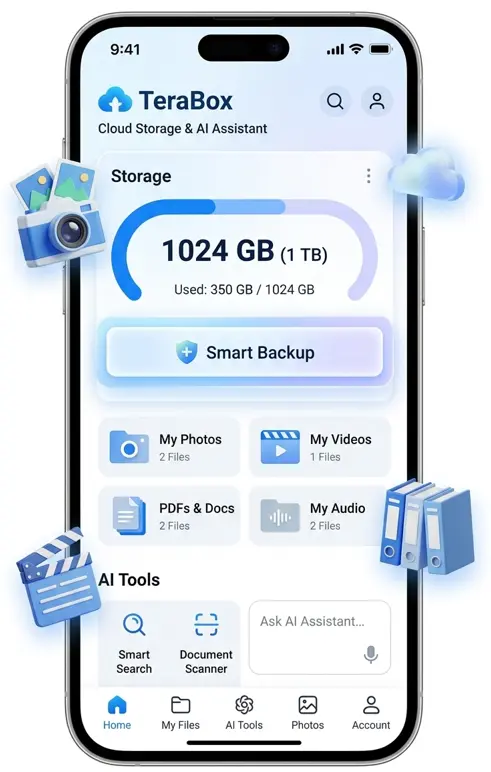
TeraBox solves one of the most common phone problems, running out of storage right when you need space the most. It offers a massive 1 TB of free cloud storage, giving users room to save photos, videos, and documents without constantly deleting old files.
Unlike typical storage apps that charge for extra space, this one keeps things generous without demanding payment upfront. Additionally, TeraBox works as more than just storage, it also functions as a media player, letting users stream saved videos directly within the app.
Files stay backed up safely, so losing important documents or memories becomes far less likely with TeraBox. Whether you’re managing work files or personal photos, everything stays organized in one convenient place. Its simple interface makes uploading and accessing content quick, even for users unfamiliar with cloud storage tools. For anyone tired of constant storage warnings, this app offers a practical, free solution worth having installed.
What is TeraBox App?
TeraBox is a cloud storage app that lets users upload and access files from anywhere, as long as they have an internet connection. Instead of keeping everything stuck on your phone, files move to secure online storage, freeing up local space instantly. This method works well for anyone juggling large media collections or important documents that need safekeeping.
Additionally, the app includes built-in AI features that help organize, search, and categorize files automatically, saving users from manual sorting. It’s important to always keep your TeraBox account credentials secure to protect uploaded content from unauthorized access. Once set up, users get a reliable digital space to manage everything in one place.
TeraBox is Essential for Smartphone Users
Running out of phone storage mid-download feels frustrating, especially when important files can’t wait. TeraBox solves this everyday headache by giving users a reliable backup space that doesn’t depend on local memory. Smartphones fill up fast with photos, videos, and apps, leaving little room for anything new. This app shifts that burden onto secure cloud storage instead, keeping devices running smoothly without constant deletion. Moreover, having files accessible across multiple devices means switching phones no longer means losing important data. This combination of convenience, space, and accessibility is exactly what makes TeraBox a practical tool for everyday smartphone users.
TeraBox APK Main Features
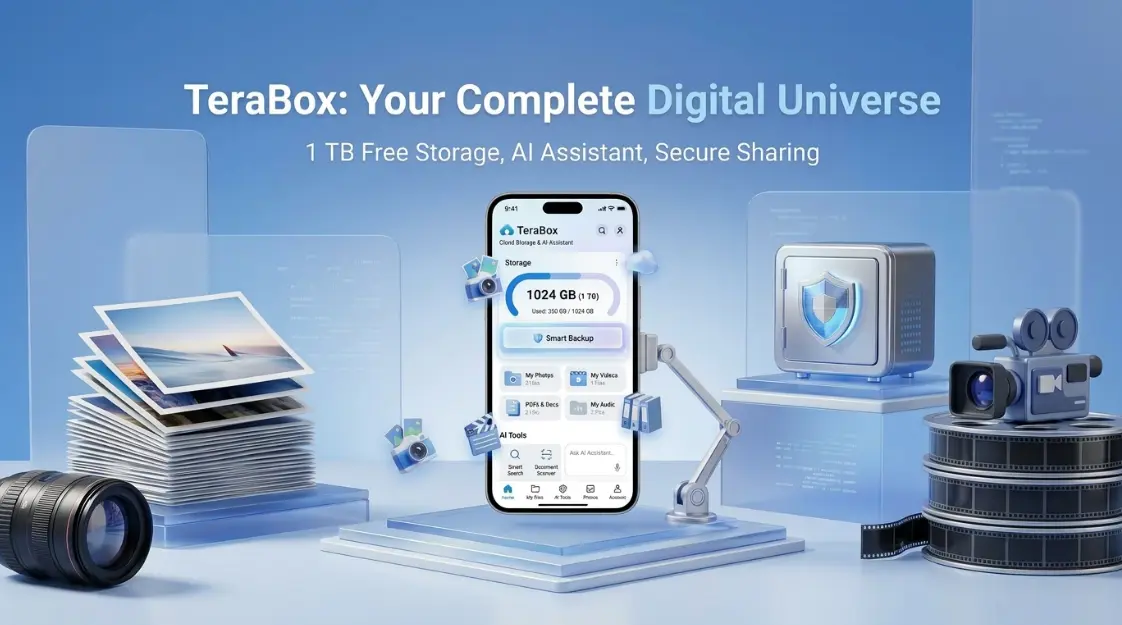
1024 GB (1 TB) Free Cloud Storage
Most storage apps offer a tiny amount for free, then push you toward paid plans almost immediately. TeraBox Mod APK takes a different approach, handing out a massive 1 TB completely free, enough room for thousands of photos, videos, and documents. No sneaky upsells, no constant reminders to upgrade. Just generous space that actually solves the storage problem instead of teasing a solution.
Automatic Photo & Video Backup
TeraBox link video saves your memories without you lifting a finger. New photos and videos upload automatically the moment you connect to Wi-Fi, removing the constant worry about losing them if your phone gets lost or damaged. No digging through folders, no manual uploads, just everything staying safe and searchable. That kind of effortless protection is exactly why TeraBox APK Download feels like a must-have for anyone who takes photos regularly.
Multi-Device Syncing
Switching between a phone, tablet, and laptop shouldn’t mean leaving files stranded on just one device. Everything stays synced across all your devices through TeraBox App download, so opening a file on your laptop shows the exact same content you saved earlier on your phone. No transferring cables, no emailing files to yourself just to access them elsewhere. That seamless connection between devices makes daily file management feel far less complicated.
Cross-Format File Storage
Photos, videos, PDFs, documents, music, keeping all these different file types organized usually means juggling multiple apps. That hassle disappears with TeraBox online cloud storage, since every format fits comfortably under one roof. Whether it’s a work presentation or a saved playlist, nothing needs a separate storage solution anymore. This flexibility is exactly what makes TeraBox Mod such a convenient choice for people who deal with mixed file types daily.
Cross-Format File Storage
Different file types usually mean juggling separate apps, one for photos, another for documents, maybe a third for music. TeraBox removes that hassle entirely, letting every format sit comfortably under one roof. Whether it’s a PDF for work or a saved playlist, nothing needs its own dedicated app anymore. That kind of simplicity is exactly what makes TeraBox file downloader worth relying on for mixed file storage.
Easy File Sharing Options
Sending a large video over chat apps often means dealing with compression that ruins the quality. TeraBox APK skips that problem entirely, letting users generate a quick share link instead with this sharebox. Friends and family get access instantly, no quality loss, no file size limits slowing things down.
Large File Transfer Support
Hitting a file size limit while trying to send something important gets frustrating fast. That restriction barely exists with TeraBox app, since large videos, project files, and heavy documents transfer without the usual size caps. Whether sharing a full video project or a bulky archive, TeraBox handles it smoothly, no splitting files or compressing quality just to fit a limit.
Built-in HD Video Player
Downloading saved videos just to watch them somewhere else feels like an unnecessary extra step. TeraBox video download eliminates that entirely with a built-in HD player, letting users stream content directly from storage without downloading first. Playback stays smooth, visuals stay sharp, and nothing needs to leave the cloud just to be enjoyed. That kind of convenience is exactly why TeraBox video player works so well as more than just a storage app.
Personal Safe Box Vault
Some files deserve an extra layer of protection beyond regular storage, personal documents, private photos, or sensitive records nobody else should stumble upon. TeraBox includes a dedicated vault feature for exactly this purpose, locking specific files behind additional security. Even if someone gains access to your account, these protected files stay hidden and require separate verification to open, giving users real peace of mind over their most private content.
High-Speed Upload & Download
Waiting forever for a file to upload tests anyone’s patience, especially with large videos or batches of photos. TeraBox premium mode Apk keeps this process quick, pushing files to the cloud without the usual painfully slow progress bars. The TeraBox downloader video works just as smoothly, pulling saved content back onto your device in moments rather than minutes. That kind of speed makes managing files feel far less like a chore and more like a quick, routine task.
Smart AI Image Search & Tagging
Scrolling through hundreds of photos just to find one specific picture wastes real time. Built-in AI handles this differently, automatically tagging images based on what’s actually in them, faces, objects, locations. Typing a quick keyword into TeraBox premium pulls up matching photos instantly, no manual sorting required. This smart organization is exactly what sets TeraBox apart from basic storage apps that leave everything in one messy, unsearchable pile.
Recycle Bin & Data Recovery
TeraBox App saves accidentally deleted files in a recycle bin instead of removing them permanently right away. That moment of panic after deleting something important fades quickly, since recovery takes just a few taps. Files stay recoverable for a set period, giving users a genuine safety net against honest mistakes.
Custom Password & Expiration Links
TeraBox Mod APK gives users real control over shared files instead of leaving links open forever for anyone to access. A password can be added before sending, keeping sensitive content away from unwanted eyes. Links can also be set to expire after a certain time, automatically cutting off access once no longer needed. That kind of flexibility makes sharing feel secure rather than risky.
Online Document Previewer
Opening a document just to check its content shouldn’t require downloading it first. Built-in preview support solves that, letting users view PDFs, Word files, and spreadsheets directly within the app. TeraBox Online downloader handles this smoothly, skipping the extra download step entirely while still showing the full content clearly. That small convenience saves time, especially when quickly checking files on the go.
Multi-Speed Video Playback
Watching a long lecture or tutorial at normal speed sometimes feels unnecessarily slow. TeraBox online video player download gives users control over this, letting playback speed adjust up or down depending on preference. Speeding through familiar content or slowing down for tricky parts both become simple options. This flexibility inside TeraBox Online player makes video watching feel more efficient, especially for anyone reviewing study material or long recordings.
Web-Based Cloud File Streaming
Switching to a new phone or working from a laptop shouldn’t mean losing access to saved files. Streaming works directly through a browser with TeraBox latest version, letting users open photos, videos, and documents without installing anything extra. No app required, no device restrictions, just quick access from wherever you happen to be working.
How to Download TeraBox APK
Running low on phone storage is a hassle everyone deals with sooner or later, and getting extra cloud space fixes that problem quickly. Setting up this app only takes a few simple steps, even for beginners unfamiliar with installing APK files. First, your phone needs permission to install apps from outside its default store. After that, downloading TeraBox mode Apk from a trusted website becomes the next step toward unlocking 1 TB of free storage. Once the file finishes downloading, installation happens within seconds. Additionally, creating an account takes just a minute, letting you start uploading files right away. Within minutes, you’ll have a reliable backup space ready to use.
- Open your phone’s Settings and go to Security or Privacy.
- Enable “Install from Unknown Sources” for your browser.
- Visit the official TeraBox website using your phone’s browser.
- Tap the Download APK button to start downloading the file.
- Once downloaded, open the file from your notifications or downloads folder.
- Tap Install and wait a few seconds for the process to complete.
- Open the app, create your account, and start uploading files instantly.
How to Use TeraBox APK
Getting started with TeraBox app is easy, even if you have never used a cloud storage app before. The interface is clean, and every main option sits within a tap or two. Follow the steps below to sign in, upload, organize, download, and share files. Once you learn the basics, TeraBox becomes routine.
Create or Sign In to Your TeraBox Account
Open the app and sign in with TeraBox using your email, phone number, or a linked social account.
- Tap Sign Up to create an account, or Log In.
- Set a strong password.
- Enter the verification code you receive.
Your dashboard opens once verification finishes. Keep your login details private.
Upload Photos, Videos, and Other Files
Uploading files to TeraBox takes only a few taps. Open the Upload section and choose what you want to save.
- Tap the plus (+) button.
- Select photos, videos, or documents.
- Confirm and wait for the upload to finish.
Large files may take longer, so use Wi-Fi when possible.
Create Folders and Organize Your Files
A tidy storage space saves time later. TeraBox folders let you group files by type, project, or date.
- Tap New Folder and give it a clear name.
- Select files and choose Move to place them inside.
- Rename or delete folders anytime.
Good organization makes searching much faster.
Download Files From Cloud Storage
Saving a file back to your phone is easy with TeraBox. Open the file you need, and the app offers a download option.
- Tap and hold a file to select it.
- Press the Download button.
- Find the saved file in your chosen folder.
You can also preview many files before downloading.
Share Files With Other Users
Sharing avoids bulky attachments. Select a file or folder and generate a link in seconds with TeraBox.
- Tap Share on the selected item.
- Copy the link and send it through any chat app.
- Add a password or expiry date for extra privacy.
TeraBox APK Alternatives
MEGA
If TeraBox APK doesn’t suit you, try this option. It focuses on privacy by encrypting your files end to end. You get 20 GB free, which is plenty for everyday needs. Install it, sign up, and start backing up your data.
Google Drive
Looking for a TeraBox app alternative with a trusted name behind it? This one comes from Google. It works smoothly with Gmail, Docs, and Sheets, so teamwork feels easy. Android phones often include it already. The free plan gives 15 GB, shared across your Google account. Sign in and start uploading.
Degoo
Photo backup comes first in this app. Compared with TeraBox, it feels lighter and cleaner. Smart tags sort your pictures automatically. Free accounts see ads, but the price stays at zero. Upgrade only when you need more room. Casual users who want their memories saved will like it a lot.
pCloud
Users who outgrow TeraBox app often want a one-time payment option instead. This Swiss service offers lifetime plans. You pay once and keep it for life. It plays music and videos in the app. A built-in rewind tool brings back older versions of your work. Setup is also very quick.
MediaFire
This tool skips the fuss and makes quick sharing simple. You upload a file, copy the link, and send it. Downloaders open it right in the browser. Pick it over TeraBox downloader when sharing matters more than long-term backup. Short transfers need no heavy setup at all.
TeraBox APK vs Top 5 Cloud Storage Alternatives
| Cloud Storage App | Free Storage Space | Max File Upload Limit (Free) | Key Security & Privacy Feature | Best Usage / Main Purpose |
| TeraBox | 1024 GB (1 TB) | 4 GB | Personal Safe Box (PIN Protection) | Maximum Free Space & Large File Backup |
| MEGA | 20 GB | 20 GB (Up to available storage) | End-to-End Zero-Knowledge Encryption | High Security & Encrypted File Sharing |
| Google Drive | 15 GB | 5 TB | Google Security & Multi-Factor Auth | Productivity, Docs & Android Integration |
| Degoo | 20 GB | 512 MB | Automatic Gallery Backup & AI Memories | Mobile Photos & Videos Cloud Backup |
| pCloud | 10 GB | Unlimited (No Cap) | TLS/SSL Encryption & Built-in Player | Smooth HD Video & Audio Streaming |
| MediaFire | 10 GB | 4 GB | One-Time Shareable Links | Direct File Hosting & Fast APK/Zip Sharing |
Pros and Cons
Pros
- 1 TB Free Storage: TeraBox offers a very large amount of free cloud space, enough for thousands of photos, videos, and documents.
- Automatic Backup: Photos and videos can upload automatically when your phone connects to Wi-Fi.
- Multi-Device Syncing: Files stay synced across your phone, tablet, and laptop.
- Supports Many File Types: Photos, videos, PDFs, documents, and music can all be stored in one place.
- Built-in HD Video Player: You can stream videos directly from the cloud without downloading them first.
- Easy File Sharing: Share links let you send large files without losing quality.
- Password and Expiry Links: You can protect shared links with a password or set them to expire.
- Personal Safe Box: A private vault adds an extra layer of security for sensitive files.
- AI Image Search and Tagging: Smart tagging helps you find photos quickly by keyword.
- Recycle Bin Recovery: Accidentally deleted files can be restored within a set period.
Cons
- Ads in the Free Version: Free users may see ads while using the app.
- Speed Limits for Free Users: Download and upload speeds can be slower than on paid plans.
- Premium Features Cost Extra: Some advanced features and faster speeds require a paid subscription.
- Internet Dependency: You need a stable internet connection to upload, stream, or access most files.
- Privacy Concerns: Storing personal files with any cloud provider carries some privacy risk, so users should review the app’s policies.
- APK Installation Risks: Downloading from unofficial websites can expose your phone to security threats, so use only trusted sources.
Conclusion
TeraBox App gives you a simple way to fix phone storage problems. It offers a large amount of free cloud space for photos, videos, and documents. Moreover, it backs up your files automatically and syncs them across devices. The built-in video player and secure vault add extra value.
However, free users should expect ads and slower speeds. Also, download the APK only from a trusted source to stay safe. Overall, this app suits anyone who wants easy storage without paying upfront. Finally, review the privacy policy before you upload sensitive files. Try TeraBox today and see how much space you save.
FAQs
Is TeraBox really free?
Yes, the basic plan is free and includes 1 TB of cloud storage. Some features, such as faster speeds and ad-free use, need a paid plan.
Is TeraBox safe to use?
The official app uses standard security measures, and it offers a private vault for sensitive files. Still, you should download the APK only from the official website and avoid sharing your login details.
How do I download TeraBox APK on Android?
Enable installation from unknown sources in your phone settings. Then download the APK from the official website, open the file, and tap Install. Finally, sign in or create an account.
Can I use TeraBox app without an account?
No, you need an account to upload and manage files. Signing up takes only a minute with an email address, phone number, or linked social account.
Why is TeraBox download speed slow?
Free accounts often get lower speeds than paid ones. A weak internet connection can also slow things down. Switching to stable Wi-Fi usually helps.
How can I increase TeraBox storage?
You can upgrade to a premium plan for extra space and features. Check the in-app offers, since available plans and prices can change from time to time.
Is TeraBox Apk available for iPhone and PC?
Yes, the service works on Android, iOS, and the web. Desktop apps are also available, so your files stay synced across all your devices.
How to delete TeraBox account permanently?
You can usually delete your TeraBox account from the Account Settings section by selecting Delete Account and confirming the request. Make sure to back up any important files first, as deletion may remove your stored data permanently.